

There's something undeniably appealing about gaming in a cozy atmosphere. The soft flicker of candlelight, a pleasant vanilla or sandalwood scent wafting through the air—it transforms your gaming den into a sanctuary. But here's a question most gamers never think to ask: what's that candle actually doing to your expensive hardware?
The answer might surprise you. That innocent-looking candle could be silently coating your gaming PC's internals with a thin layer of waxy soot, clogging your filters, and pushing your temperatures into dangerous territory. Let's dive into the science behind this overlooked threat and explore some safer alternatives.
The Hidden Threat: Understanding Candle Soot and Particulates
When you burn a candle, you're not just releasing pleasant aromas into the air. Combustion produces a complex mixture of byproducts, including soot particles, volatile organic compounds (VOCs), and vaporized wax. These microscopic particles—some as small as 0.1 microns—become airborne and travel throughout your room, eventually settling on every surface, including the inside of your gaming hardware.
Paraffin candles, which make up approximately 95% of candles sold, are particularly problematic. Derived from petroleum, they release more soot and particulate matter than soy or beeswax alternatives. Studies have shown that burning paraffin candles can release the same types of chemicals found in diesel exhaust, including toluene and benzene.
But here's where it gets concerning for gamers: your PC or console is essentially a high-powered vacuum cleaner. Those fans designed to keep your components cool are constantly pulling air through your system—along with whatever particles are floating in your room.
How Waxy Soot Destroys Your Hardware
The Buildup Process
Unlike regular dust, candle soot has a unique characteristic: it's sticky. The combination of fine carbon particles and vaporized wax creates a residue that adheres stubbornly to surfaces. When this mixture enters your gaming PC, it doesn't just sit loosely on components—it bonds to them.
Over time, this buildup accumulates on:
- Heatsinks and cooling fins: Reducing thermal conductivity
- Fan blades: Creating imbalance and reducing airflow efficiency
- Air filters: Clogging them faster than normal dust
- PCB surfaces: Potentially causing electrical issues in extreme cases
- Thermal paste interfaces: Acting as an insulating layer
The Temperature Impact
Here's the real danger: waxy soot is an excellent insulator. As it coats your GPU and CPU heatsinks, it creates a barrier that prevents efficient heat transfer. What might start as a 2-3°C increase can compound over months into temperature spikes of 10-15°C or more under load.
For gaming hardware operating near thermal limits, this can mean the difference between smooth performance and thermal throttling—or worse, premature component failure. GPUs like the RTX 4080 or RX 7900 XT generate substantial heat, and they rely on clean, unobstructed airflow to maintain safe operating temperatures.
Console Owners Aren't Safe Either
If you game on a PlayStation 5 or Xbox Series X, don't assume you're immune. These consoles have sophisticated cooling systems that are equally vulnerable to waxy buildup. In fact, because consoles are often placed in entertainment centers with limited airflow, the problem can be even more pronounced. That restricted space traps candle particulates, concentrating them near your console's intake vents.
Warning Signs Your Candle Habit Is Causing Problems
Watch for these indicators that candle soot may be affecting your gaming hardware:
- Gradually increasing idle and load temperatures without changes to room temperature
- Fans running louder than usual as they work harder to compensate
- A greasy or tacky residue on your PC's exterior or visible interior surfaces
- Dark discoloration around intake vents and filters
- Performance throttling during demanding games that previously ran smoothly
- A thin, oily film on your monitor and peripheral surfaces
Safe Alternatives for a Fresh-Smelling Gaming Space
The good news is you don't have to choose between a pleasant atmosphere and healthy hardware. Several alternatives can keep your gaming space smelling great without the combustion byproducts.
Candle Warmers
Candle warmers use gentle heat to release fragrance from wax without burning. Since there's no flame, there's no soot production. You get the same scent experience with zero particulate emissions. Look for electric warmers with auto-shutoff features for safety.
Essential Oil Diffusers
Ultrasonic diffusers disperse essential oils as a fine mist without combustion or heat. They're clean, safe for electronics, and many offer adjustable intensity settings. As a bonus, some essential oils like peppermint and eucalyptus can actually help with focus during gaming sessions.
Reed Diffusers
For a completely passive solution, reed diffusers release fragrance gradually through evaporation. Zero electricity, zero combustion, zero particulates. They're perfect for maintaining a consistent background scent in your gaming room.
Air Purifiers: The Ultimate Solution
Here's the real game-changer: a quality air purifier doesn't just eliminate candle soot concerns—it actively improves your gaming environment. HEPA air purifiers capture airborne particles, reduce allergens, and maintain cleaner air that's better for both you and your hardware.
If you've been burning candles near your setup, an air purifier can help mitigate ongoing damage while creating a healthier gaming space overall. Here are some top options worth considering:
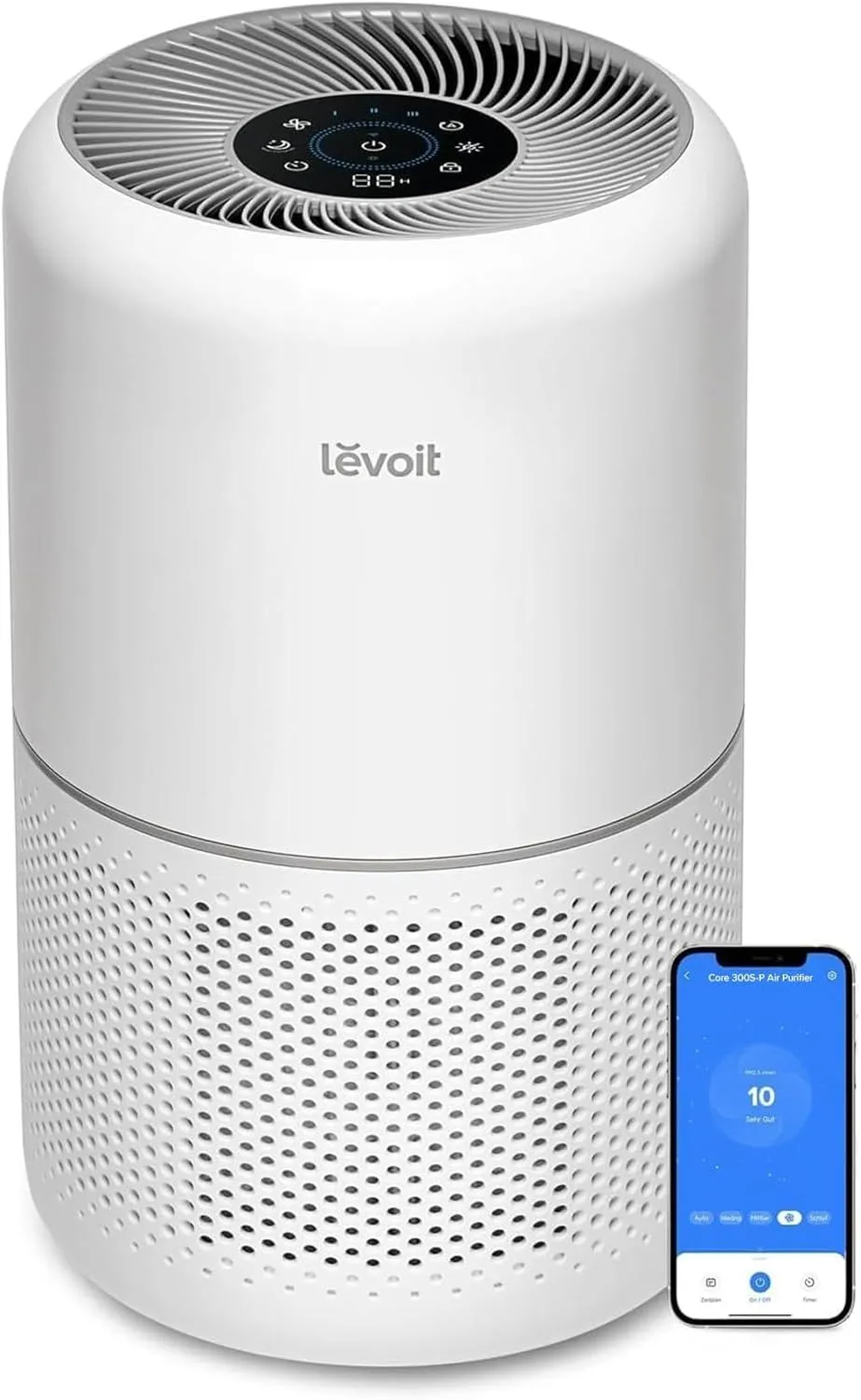
LEVOIT Core 300S-P Air Purifier
The LEVOIT Core 300S-P offers excellent value for smaller gaming rooms. Its compact size means it fits easily on a desk or shelf without dominating your setup, while its HEPA filtration captures 99.97% of particles down to 0.3 microns—more than sufficient to handle candle soot.

Dyson Purifier Cool TP07
For larger gaming spaces or those wanting premium features, the Dyson Purifier Cool TP07 combines air purification with cooling capabilities. Its fully sealed filtration system captures particles and gases, while real-time air quality reporting lets you monitor your environment. The bladeless design also means one less thing collecting dust in your gaming room.
Cleaning Up Existing Damage
If you've been enjoying candles during gaming sessions, here's how to address any existing buildup:
- Power down and unplug your PC or console completely
- Use compressed air to blow out loose particles (do this outdoors)
- Clean heatsinks and fans with 99% isopropyl alcohol and lint-free cloths
- Replace air filters in your PC case if applicable
- Consider reapplying thermal paste if temperatures remain elevated
- For consoles, consider professional cleaning if you're not comfortable disassembling
Best Practices Going Forward
If you absolutely must burn candles, minimize the impact with these strategies:
- Keep candles at least 6 feet away from any gaming hardware
- Ensure proper ventilation with open windows when burning
- Choose soy or beeswax candles over paraffin—they produce significantly less soot
- Trim wicks to 1/4 inch before each use to reduce smoke
- Run an air purifier whenever candles are lit
- Clean your hardware more frequently if candles are part of your routine
The Bottom Line
That cozy candle might seem harmless, but for gamers with hundreds or thousands of dollars invested in their setups, it represents a genuine threat to hardware longevity and performance. The waxy soot produced by burning candles is uniquely problematic for electronics, creating insulating layers that trap heat and degrade components over time.
The solution doesn't require sacrificing ambiance. Candle warmers, diffusers, and air purifiers offer safer pathways to a pleasant gaming environment. And if you're already seeing signs of buildup, a thorough cleaning combined with better air management can help reverse the damage.
Your gaming hardware works hard for you—it's worth protecting from invisible threats.