
Best USB Hubs for 2026
Discover comprehensive reviews of USB hubs to expand your connectivity options and streamline your workspace productivity. Our expert analysis covers port configurations, data transfer speeds, and power delivery capabilities to help you find the perfect hub for your office setup.
Updated February 2026 • 19 Products Analyzed
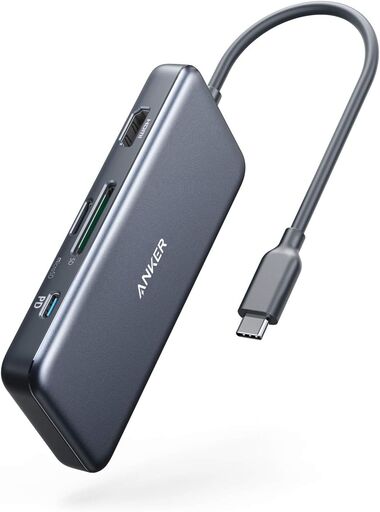
Anker 7-in-1 USB-C Hub
The Anker 7-in-1 USB-C Hub is a versatile and compact docking solution offering 4K HDMI, 100W Power Delivery, dual USB-A ports, and SD/microSD card readers. Users consistently praise its build quality, reliability, and durability, with many reporting years of dependable performance. While highly functional for travel and productivity, some users note challenges finding compatible 100W power adapters to maximize its potential.
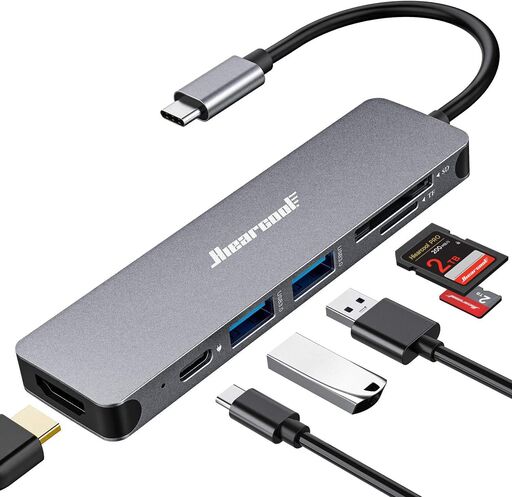
Hiearcool USB-C Hub 7-in-1
The Hiearcool 7-in-1 USB-C hub delivers reliable multi-port connectivity with 4K HDMI, 100W power delivery, and fast USB 3.0 data transfer in a compact aluminum design. Highly rated by users for seamless performance across MacBooks and other USB-C devices, this hub offers excellent value for professionals, content creators, and everyday users seeking a dependable all-in-one adapter.
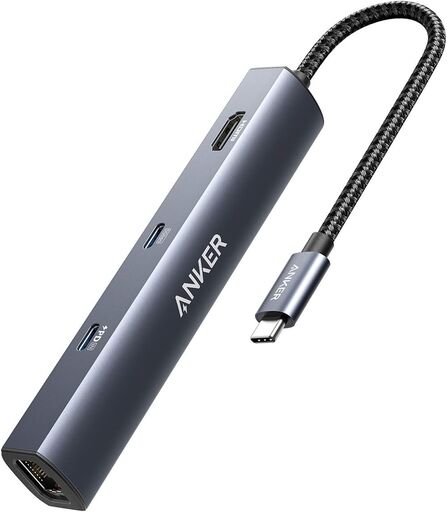
Anker 6-in-1 USB-C Hub
The Anker 6-in-1 USB-C Hub delivers impressive connectivity with 65W Power Delivery, 4K HDMI, Gigabit Ethernet, and multiple USB ports in a compact, durable design. Users consistently praise its reliable performance, fast charging, and seamless integration with multiple devices, though some note the cable could be longer and occasionally stiffer connections occur with movement.
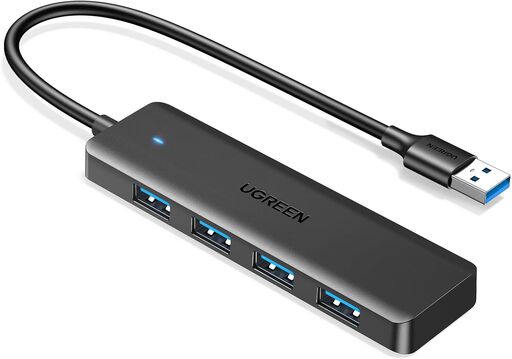
UGREEN USB 3.0 Hub, 4 Ports
The UGREEN USB 3.0 Hub expands a single USB port into four with impressive 5Gbps transfer speeds and plug-and-play compatibility across devices. Users consistently praise its exceptional value, compact design, and solid build quality for the budget price. However, the short cable length and limited power output for high-consumption devices present minor limitations.
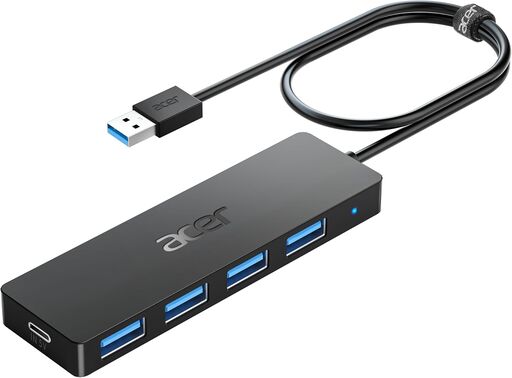
Acer USB Hub 4 Ports
The Acer USB Hub 4 Ports is a reliable, plug-and-play USB 3.0 hub that expands connectivity with four additional ports and a Type-C power input for stability. Praised for its compact design, fast 5Gbps transfer speeds, and seamless compatibility across devices, it's an excellent value solution for users needing extra USB ports. Minor limitations with certain high-power peripherals like USB headsets may require direct laptop connection.
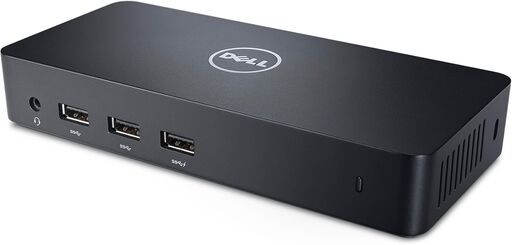
Dell USB 3.0 Triple Display Docking Station D3100
The Dell D3100 is a highly versatile docking station that enables triple monitor connectivity via USB 3.0, with excellent cross-platform compatibility and robust build quality. Users consistently praise its reliability and compact design, though setup requires driver installation and Windows display management can be non-intuitive for multi-monitor configurations.
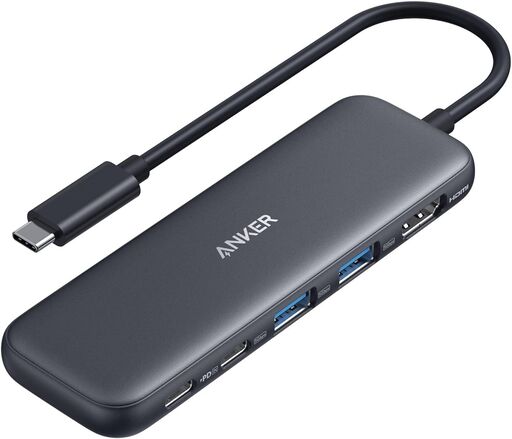
Anker USB-C Hub 5-in-1
The Anker USB-C Hub delivers impressive versatility with 4K HDMI output, multiple high-speed data ports, and 85W pass-through charging in a compact design. Users praise its plug-and-play reliability, build quality, and travel-friendly form factor, making it an excellent choice for MacBook, Windows, and iPad users seeking a simple docking solution.
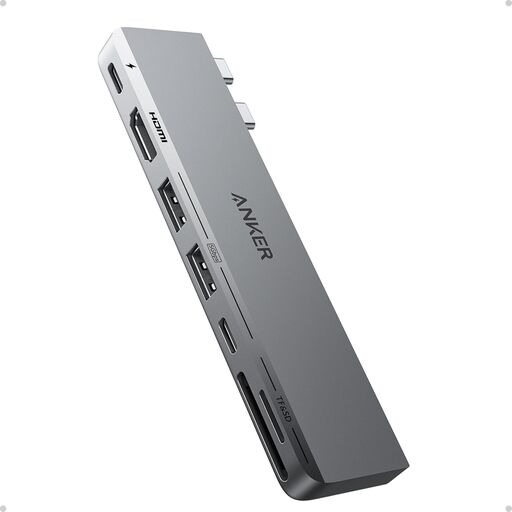
Anker 7-in-2 USB C Hub for MacBook
The Anker 547 USB-C Hub is a highly capable expansion solution that transforms MacBook's limited ports into 7 different connectivity options. Featuring 40 Gb/s data transfer, up to 100W charging, 4K@60Hz HDMI output, and SD/microSD card slots, it delivers excellent value for a compact design. Users consistently praise its quality build, reliable performance, and seamless compatibility with MacBooks, though a few report minor physical disconnection issues.
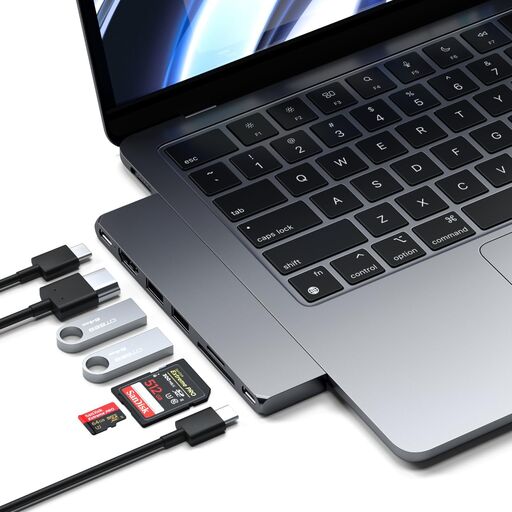
Satechi 7 in 1 USB C Hub
The Satechi 7 in 1 USB C Hub is a premium multiport adapter that dramatically expands MacBook connectivity with USB 4, HDMI, card readers, and multiple USB ports in a slim, aluminum design. Users consistently praise its seamless integration, durability, and aesthetic match with MacBooks, though some report occasional connection inconsistencies and tight port fits. At its current price point, it's a well-engineered solution for MacBook Air/Pro users seeking native-looking port expansion without cable clutter.
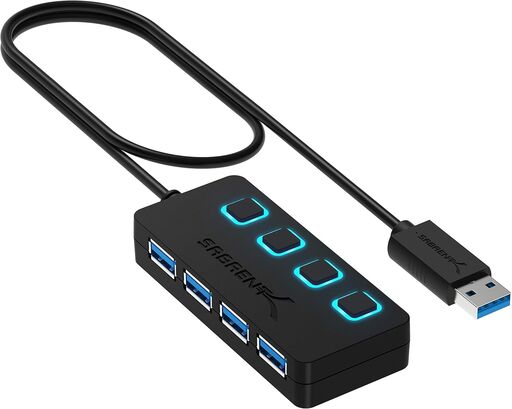
SABRENT 4-Port USB 3.0 Hub
The SABRENT 4-Port USB 3.0 Hub is a reliable, budget-friendly solution for expanding USB connectivity with individual LED-controlled switches for each port. Users consistently praise its durability, fast data transfer speeds up to 5Gbps, and plug-and-play convenience, though some note limitations with USB-C connections and occasional compatibility quirks with certain peripherals. Its exceptional longevity—with multiple reviews reporting 5+ years of reliable service—combined with broad device compatibility makes it an excellent value proposition for both Mac and PC users.
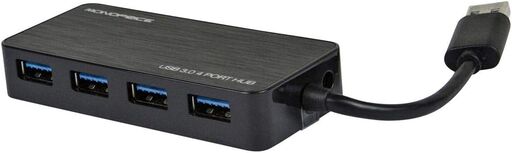
Monoprice USB 3.0 4-Port Hub
The Monoprice 10931 is a reliable USB 3.0 hub offering four ports with optional AC adapter support at an excellent budget price point. Users praise its solid construction and low-profile design, though it lacks an LED power indicator. Amazon fulfillment issues aside, the hub itself delivers strong performance for mobile and studio recording setups.
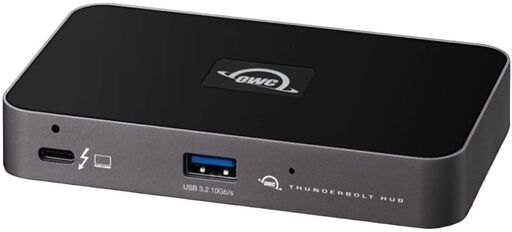
OWC Thunderbolt 4 Hub
The OWC Thunderbolt 4 Hub delivers impressive high-speed connectivity with full Thunderbolt 4 and USB-A compatibility across Mac and Windows devices. Users praise its reliable performance for video editing, fast file transfers, and solid build quality, though some experience minor speed penalties and compatibility issues with older Thunderbolt 3 on Windows systems.
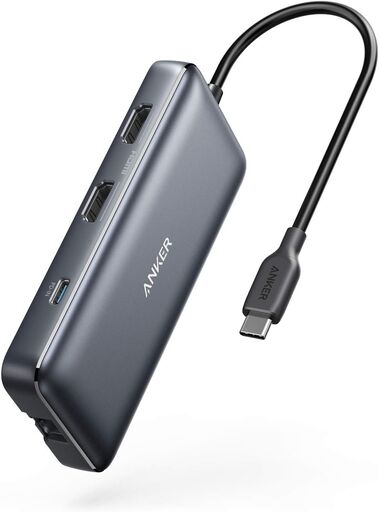
Anker PowerExpand 8-in-1 USB-C Hub
The Anker PowerExpand 8-in-1 hub offers excellent value for dual-monitor setups with comprehensive port options including dual 4K HDMI, USB-A, Ethernet, and 85W power delivery. Users praise its compact design, reliable performance, and easy plug-and-play setup, though some experience occasional connectivity issues and heat generation under heavy load. Overall, it's a solid docking solution for professionals seeking cable consolidation at its current price point.
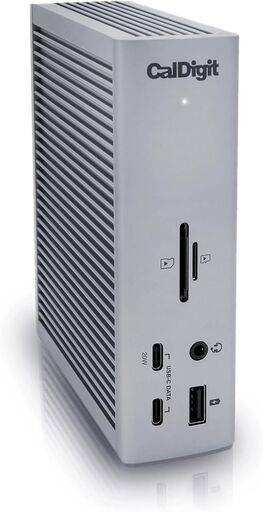
CalDigit TS4 Thunderbolt 4 Dock
The CalDigit TS4 is a feature-rich Thunderbolt 4 docking station offering 18 ports, 98W charging, and support for 8K/6K displays, making it ideal for power users and professionals. Users consistently praise its reliability, seamless multi-device connectivity, and ability to transform laptops into desktop setups with a single cable. However, the premium price point and reports of heat management issues under heavy load are notable considerations.
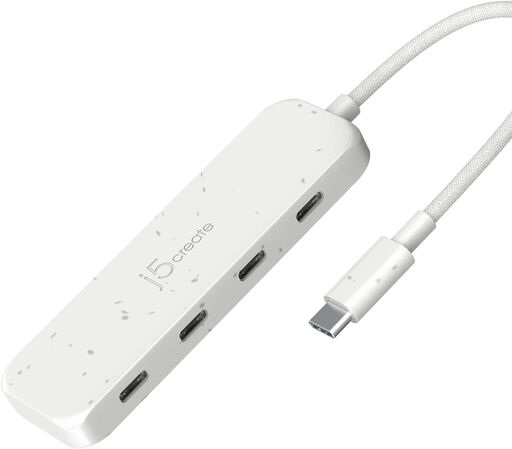
j5create 4-in-1 USB-C Hub
The j5create 4-in-1 USB-C Hub offers reliable 10Gbps data transfer speeds across four ports with an eco-friendly design using recycled materials. While it excels at expanding USB-C connectivity for peripherals and external storage, it cannot deliver power for charging phones or tablets. This compact, well-built hub is ideal for professionals and travelers who need fast multi-port expansion without environmental compromise.
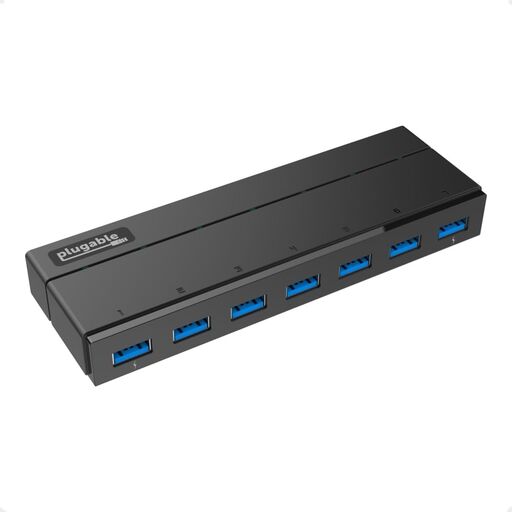
Plugable 7-Port USB 3.0 Hub with 36W Power Adapter
The Plugable 7-Port USB 3.0 Hub is a reliable powered hub that delivers consistent performance for data-intensive tasks with dual high-power charging ports and driverless compatibility. Users praise its solid construction and stable connectivity for multiple devices, though some report reliability issues after 2-3 years of use. With excellent customer support and reasonable pricing, it's an ideal choice for home offices and professional setups requiring multiple USB 3.0 connections.
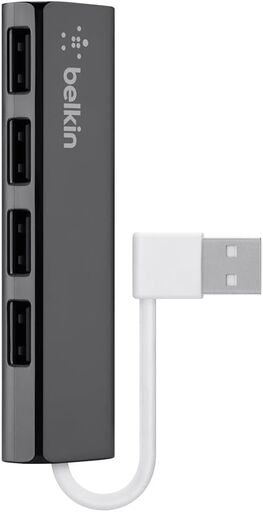
Belkin F4U042BT Ultra-Slim Travel Hub
A compact plug-and-play USB 2.0 hub that adds four ports without requiring external power, making it ideal for travel and light workloads. Users praise its seamless compatibility with Apple devices and reliable performance, though durability concerns and potential battery drain are noted by some.
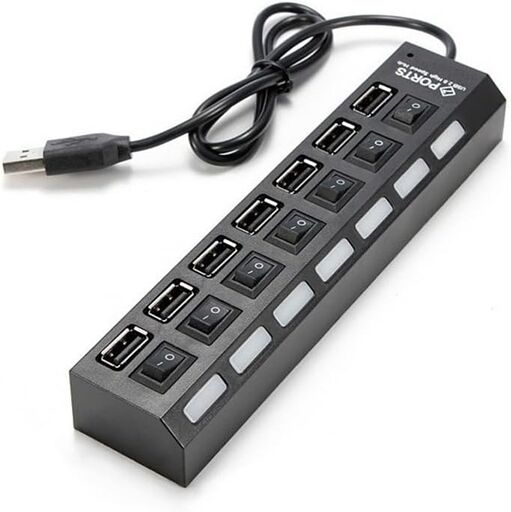
7-Port USB Hub with ON/Off Switch
This compact 7-port USB 2.0 hub offers convenient individual port switches and LED indicators, making it ideal for expanding desktop connectivity. While users appreciate its affordable price and practical design for basic peripherals, the hub struggles with data transfer speeds and power delivery for demanding devices like external drives.
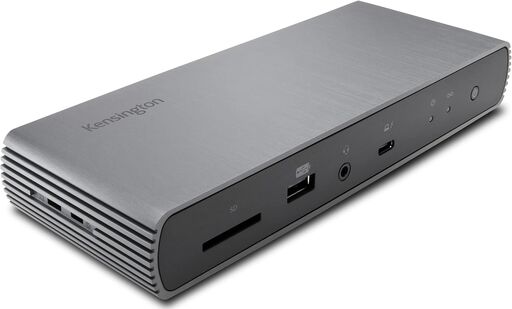
Kensington SD5700T Thunderbolt 4 Docking Station
The Kensington SD5700T is a premium Thunderbolt 4 docking station with robust power delivery (90W) and dual 4K video support, featuring solid build quality and extensive connectivity. However, users report significant compatibility issues with Mac silicon models, particularly wake-from-sleep failures and mouse/keyboard disconnections, paired with subpar customer support from the manufacturer. USB-A port stability issues on high-power devices further limit its overall reliability for a premium-priced dock.