

In an era where clean, cable-free workspaces have become the gold standard, Bluetooth mice have emerged as essential tools for productivity-minded users. Whether you're working from a coffee shop, presenting in a boardroom, or simply trying to reduce desk clutter at home, understanding Bluetooth mouse technology can help you make smarter purchasing decisions and get more out of your wireless peripherals.
What Makes Bluetooth Mice Different?
Wireless mice generally come in two flavors: those using proprietary USB receivers (often called dongles) and those using Bluetooth. While both eliminate cables, they work quite differently under the hood.
Bluetooth mice connect directly to your device's built-in Bluetooth radio, requiring no additional hardware. This makes them ideal for laptops, tablets, and modern desktops with Bluetooth capability. You simply pair the mouse once, and it remembers your device for future connections.
USB receiver mice use a small dongle that plugs into a USB port. While this approach often offers slightly lower latency, it occupies a precious USB port and creates one more small item to lose when traveling.
The Advantages of Going Bluetooth
Universal Compatibility
Bluetooth is a universal standard supported by virtually every modern computer, tablet, and even smartphone. This means your Bluetooth mouse can work across multiple devices and operating systems without needing specific drivers or proprietary software.
Multi-Device Connectivity
Many premium Bluetooth mice support connecting to multiple devices simultaneously. With the press of a button, you can switch between your work laptop, personal tablet, and home desktop—a game-changer for users juggling multiple machines.
No Dongle, No Problem
USB-C laptops often have limited ports, making every connection precious. Bluetooth mice free up those ports for other peripherals, external drives, or charging cables. Plus, there's no dongle to forget in a hotel room or lose at the bottom of your bag.
Extended Battery Life
Modern Bluetooth Low Energy (BLE) technology has dramatically improved power efficiency. Many Bluetooth mice now offer battery life measured in months or even years, far surpassing older wireless technologies.
Key Features to Consider
When shopping for a Bluetooth mouse, several factors deserve your attention:
Sensor Quality and DPI
The sensor determines how accurately and smoothly your mouse tracks movement. DPI (dots per inch) measures sensitivity—higher DPI means the cursor moves farther with less physical movement. Most users find 1000-1600 DPI comfortable for everyday tasks, while designers and gamers may prefer adjustable DPI up to 4000 or higher.
Ergonomics and Size
Mice come in various shapes and sizes for good reason. A mouse that fits your hand properly reduces fatigue during long work sessions. Consider whether you prefer a full-sized mouse for desktop use or a compact travel mouse that slips easily into a laptop bag.
Battery Type
Some Bluetooth mice use replaceable AA or AAA batteries, while others feature built-in rechargeable batteries. Rechargeable models are more convenient and eco-friendly, but replaceable batteries mean you're never stuck waiting for a charge.
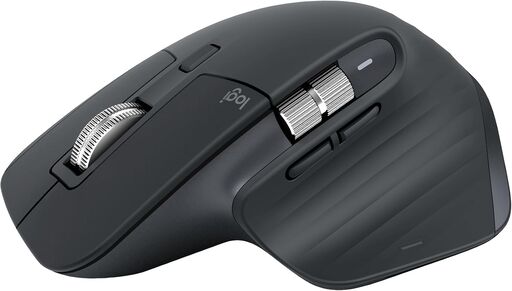
Logitech MX Master 3S Bluetooth Edition Wireless Mouse
Understanding Bluetooth Versions
Not all Bluetooth is created equal. Here's a quick primer on what those version numbers mean:
Bluetooth 4.0 and 4.2 introduced Bluetooth Low Energy (BLE), dramatically improving battery life for peripherals like mice.
Bluetooth 5.0 and newer offer faster data transfer, greater range, and improved reliability. Most modern Bluetooth mice use 5.0 or later for the best performance.
When pairing, your mouse will operate at the Bluetooth version supported by both the mouse and your computer—so a Bluetooth 5.0 mouse connected to a laptop with Bluetooth 4.2 will function at 4.2 speeds. For most mouse usage, this difference is negligible, but it's worth noting if you're concerned about cutting-edge performance.
Bluetooth vs. Hybrid Wireless Mice
Many manufacturers now offer hybrid mice that support both Bluetooth and USB receiver connections. These versatile devices let you choose the best connection method for each situation:
- Use Bluetooth when you want to save USB ports or connect to a tablet
- Use the USB receiver when you need the lowest possible latency for gaming or precise work
Hybrid mice represent an excellent middle ground for users who want flexibility without compromising on any particular use case.
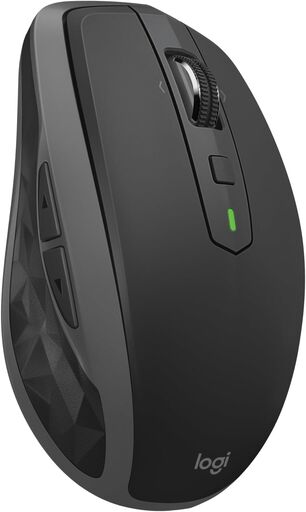
Logitech MX Anywhere 2S Bluetooth Mouse
Common Bluetooth Mouse Concerns Addressed
Latency and Responsiveness
A frequent concern about Bluetooth mice is latency—the delay between moving the mouse and seeing the cursor respond. While early Bluetooth mice did suffer from noticeable lag, modern implementations have largely solved this problem. For office work, web browsing, and even casual gaming, today's Bluetooth mice feel indistinguishable from wired alternatives.
Connection Stability
Bluetooth connections can occasionally drop or stutter, particularly in environments with heavy wireless interference. Quality mice from reputable manufacturers implement sophisticated protocols to maintain stable connections. If you experience issues, try updating your computer's Bluetooth drivers or ensuring you're not in an area saturated with competing wireless signals.
Wake From Sleep
Some Bluetooth mice take a moment to "wake up" after being idle, causing a brief delay before the cursor responds. Premium mice minimize this with intelligent power management that balances responsiveness with battery conservation.
Choosing the Right Bluetooth Mouse for Your Needs
For Travel and Portability
Look for compact, lightweight designs with long battery life. A mouse that easily fits in your laptop bag and survives weeks of travel without needing a charge will serve you well on the road.
For Office Productivity
Prioritize ergonomics and multi-device connectivity. A comfortable, full-sized mouse that switches seamlessly between your work computer and personal laptop maximizes efficiency throughout your workday.
For Creative Work
Seek out mice with high-precision sensors and customizable buttons. The ability to assign shortcuts to extra buttons can significantly speed up workflows in design and editing software.
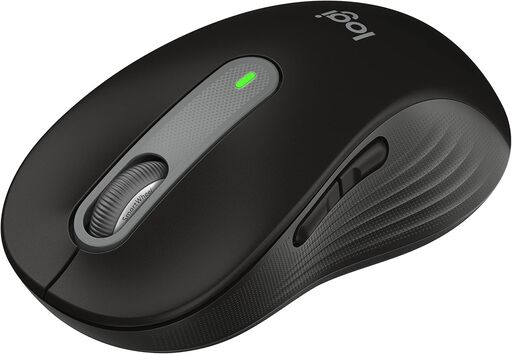
Logitech Wireless Mouse Signature M650 L
Tips for Getting the Most From Your Bluetooth Mouse
-
Keep your Bluetooth drivers updated – Manufacturers regularly release updates that improve connectivity and fix bugs
-
Disable power saving for Bluetooth – In your operating system's power settings, prevent your computer from turning off Bluetooth to save power, which can cause connection issues
-
Maintain line of sight – While not strictly necessary, reducing obstacles between your mouse and computer improves signal reliability
-
Monitor battery levels – Most operating systems display Bluetooth device battery status; check periodically to avoid unexpected shutdowns
-
Clean your sensor regularly – A quick wipe of the optical sensor on the bottom of your mouse ensures consistent tracking
The Future of Bluetooth Mice
As Bluetooth technology continues to evolve, we can expect even better performance from wireless mice. Future iterations promise lower latency, longer battery life, and more robust connections. The gap between wired and wireless performance narrows with each generation, making Bluetooth mice an increasingly attractive option for even the most demanding users.
For most people today, a quality Bluetooth mouse offers the perfect combination of convenience, performance, and versatility. By understanding the technology and knowing what features matter for your specific needs, you can choose a wireless mouse that enhances your productivity and simplifies your digital life for years to come.